


Pango Kids: Learning Games +3
4.1153.00 Reviews
App Specs
- Version
- 5.0.1
- Updated On
- License
- Free
- Downloads
- 1,000,000+
- Developer
- Studio Pango - Kids Fun preschool learning games
- Categories
- Educational
- Platform
- Android
Screenshots
 Analysis by AppCompare
Choosing an educational game for a preschooler is less about finding the longest list of activities and more about finding something a young child can approach without constant adult help. I look for clear, inviting play that gives a child room to try, make a choice, and try again. Pango Kids: Learning Games +3 is aimed at that early-learning stage, and its mix of playful puzzles and interactive stories makes it worth considering for families with children aged 3 to 5.
What the free price does—and does not—tell you
The game is free to download, which makes it easy to try before deciding whether it belongs in your child’s routine. It also offers in-app purchases, with listed items ranging from $0.99 to $95.00 each. That wide range makes it sensible to check the purchase options yourself before handing a device to a child. I would treat the free entry point and optional spending as two separate parts of the decision rather than assume every available activity is included at no cost.
For me, that means trying the available play first and deciding whether the experience suits your child before spending anything. If you share a phone or tablet, I’d also take a moment to review how purchases are handled on that device. The game’s Everyone age rating is useful context, but it doesn’t replace a parent’s own check of the purchase setup or a conversation about when it is okay to ask for more content.
Why the play can be useful at preschool age
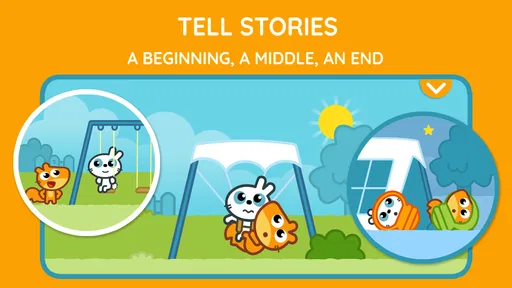
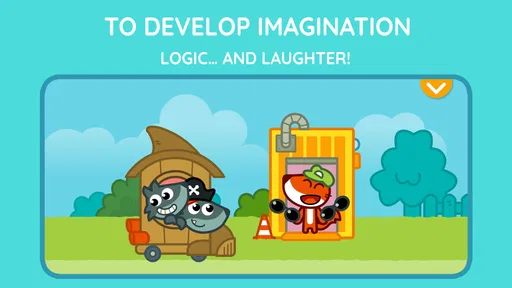
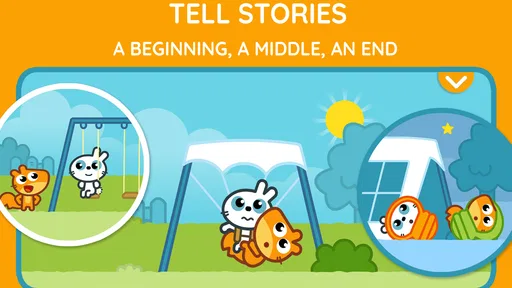
The appeal here is the combination of logic-focused play and stories that invite children to engage rather than simply watch. Preschoolers often want to explore at their own pace, and a game built around interactive activities can give them a small, manageable challenge without turning a short break into a formal lesson. I see that as the most persuasive part of the value: the game gives families another way to make a few minutes of screen time more purposeful.
A practical use is a brief, supervised session while a parent prepares a meal or waits for an appointment to begin. I’d sit nearby at first, let the child choose what catches their eye, and ask them to describe what they are trying when they reach a puzzle or story choice. That turns the activity into a chance to talk through decisions, rather than treating the app as a substitute for conversation or hands-on play.
Learning Through Play
One of the first things that struck me about Pango Kids: Learning Games +3 is how it seamlessly blends education with entertainment. Imagine your child embarking on a journey with adorable characters, solving puzzles, and learning new skills without even realizing they're in "learning mode." The app is designed for children aged 3 and up, making it a perfect entry point for early education.
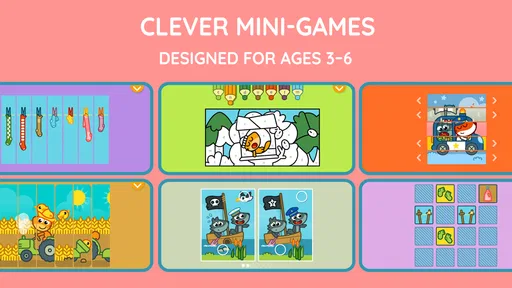
The games are crafted to develop various skills such as logic, creativity, and motor skills. For instance, there are puzzles that challenge kids to think critically and games that encourage creativity, like drawing or building. It’s like handing them a toolbox for life, wrapped in a fun and engaging package.
Worth Reading Before You Choose

EA SPORTS FC Mobile 26 Is a Bigger Football Game, but It Takes Time

Flipboard Shows What News Apps Must Do Beyond the Feed

Switching to Android Auto Means Rethinking Your Driving Routine

Google Calendar Makes a Crowded Week Easier to Manage

Ludo King Makes the Most of the Minutes Between Plans

Baby Panda World Brings Quick Play to Modern Phones, but Its Game Library Feels Busy
Engaging Content and User-Friendly Design
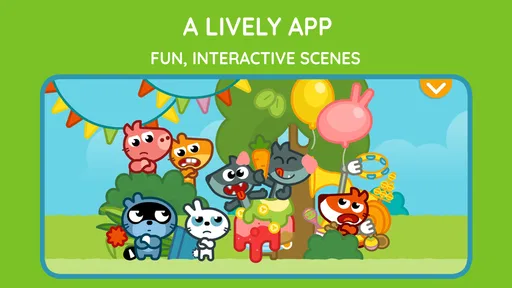
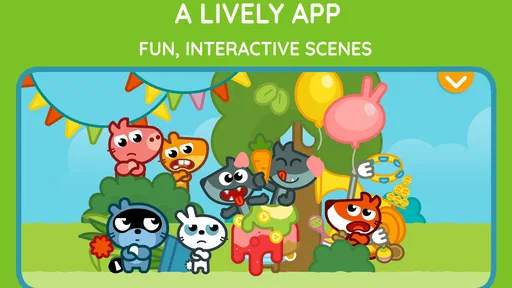
The app’s design is bright, colorful, and incredibly engaging. It’s clear that a lot of thought has gone into making the interface intuitive for little fingers. Kids can navigate through the app without getting frustrated, which is a huge win in my book. The characters are charming and have become instant favorites in our household.
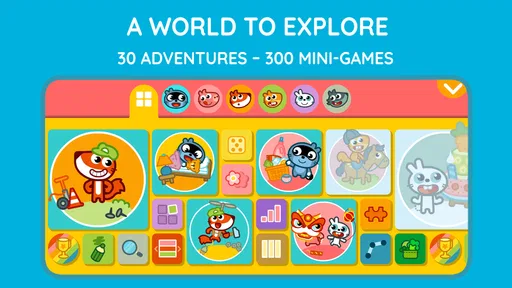
Each game is designed to be short and sweet, which keeps kids engaged without overwhelming them. Plus, the app offers a variety of games, so there’s always something new to explore. It’s like opening a new chapter of a favorite storybook each time they play.
Making a short session work
For a child who is still learning how to follow directions, I’d introduce one activity at a time rather than invite them to roam indefinitely. Letting a preschooler choose between a story and a puzzle can give them a modest sense of control, while a simple prompt such as “What do you think happens next?” encourages them to explain their reasoning. This is a more useful way to share the game than expecting it to teach independently while an adult is occupied elsewhere.
It can also help to stop while the child is still enjoying the activity. A natural pause between games or stories is a good moment to put the device down and shift to drawing, building with blocks, or talking about what they just did. The game’s creative and logic-based framing can complement those activities, but it won’t replace the tactile practice of handling real objects or the back-and-forth of reading together.
Parental Controls and Safety
Now, let’s talk about something every parent worries about: safety. Pango Kids: Learning Games +3 really shines here. The app includes parental control features that allow you to manage playtime effectively. You can set limits on how long your child can play, ensuring they don’t spend too much time on the screen.
Moreover, the app doesn’t have any ads or unsafe links, so you can let your child explore without worrying about them stumbling onto something inappropriate. It’s a relief to have an app that prioritizes safety and gives parents peace of mind.
Where it sits among preschool options
Compared with a basic puzzle app, the mix of stories and activities gives this game a broader feel: it can suit a child who enjoys both solving small challenges and following characters through a playful scene. Compared with a video or story app that mainly asks children to watch or listen, the emphasis on interactive play is a better fit when you want them to make choices. But if your child is specifically looking for structured lessons, a particular subject, or a fully offline activity, a dedicated learning resource or a book and toy may be a better match.
I’d also avoid assuming that a child will find every activity equally appealing. Preschoolers differ in how confidently they use touchscreens and how long they want to focus, so it’s worth observing whether your child can navigate comfortably and whether the puzzles feel inviting rather than frustrating. An adult’s presence during the first session can help you judge that without turning the experience into a test.
Learning Outcomes and Development
What about the learning outcomes, you ask? Well, the stories and games in Pango Kids: Learning Games +3 are designed to encourage curiosity and independent thinking. Whether it’s solving a simple puzzle or exploring a new world, kids are always learning something new.
The app also encourages kids to ask questions and explore solutions on their own, fostering a sense of independence. In our household, it’s been amazing to see how my kid’s problem-solving skills have developed over time. It’s like watching a little scientist at work!
Who is most likely to get value?
I think the strongest fit is a family with a preschooler who enjoys stories, playful characters, and simple problem-solving, and whose caregiver wants an app that can support a short shared activity. Studio Pango - Kids Fun preschool learning games is the developer, and the game has a 4.1 average from around 4.7 thousand ratings, with over one million installs. Those figures suggest it has found an audience, but they can’t tell you whether its style will click with your particular child; a brief trial is more useful than popularity alone.
The game is less likely to be the right choice if you want a comprehensive curriculum, a classroom assessment tool, or a screen-free way to occupy a child. It may also be a poor fit if your child gets upset when a device session ends; in that case, a physical activity with a clear stopping point may be easier to manage. I’d use it as one small option in a varied routine, not as the default answer to every quiet moment.
Final Thoughts
So, should you download Pango Kids: Learning Games +3? If you’re looking for an app that makes learning fun and engaging while ensuring your child’s safety, I’d say absolutely. It’s a delightful mix of education and play that keeps kids entertained while they learn.
In a world where screen time is often seen as a negative, it’s refreshing to have an app that turns it into a positive experience. So go ahead, give Pango Kids: Learning Games +3 a try, and watch your child embark on an exciting learning adventure. You might just find yourself enjoying it too!
My buy-or-skip verdict
My recommendation is to start with the free download, supervise the first few sessions, and decide based on your child’s response before considering any in-app purchase. The current version is 5.0.1, and the game was released on Nov 9, 2016; it requires iOS 7.1 or later. If your child enjoys the stories and puzzles and you’re comfortable with the purchase options, it could earn a place in an occasional preschool routine. If you need a structured course, guaranteed screen-free play, or a way to avoid purchase decisions altogether, I’d skip it and choose something that better fits those priorities.
Pros
- Engaging educational content for kids.
- Colorful and intuitive interface.
- Wide variety of learning games.
- Safe
- ad-free environment.
- Encourages creativity and problem-solving.
Cons
- Limited content without subscription.
- No offline mode available.
- Some games may be too basic.
- Requires frequent updates.
- Can be repetitive over time.
FAQs for Pango Kids: Learning Games +3
What age group is Pango Kids: Learning Games +3 suitable for?
Pango Kids: Learning Games +3 is specifically designed for children aged 3 and up. The app provides an engaging, interactive environment with games and activities tailored to enhance cognitive development, creativity, and problem-solving skills in young learners. Parents can feel confident that the content is appropriate and educational for preschool-aged children.
Is Pango Kids: Learning Games +3 safe for my child to use independently?
Yes, Pango Kids: Learning Games +3 is designed with child safety in mind. The app contains no third-party advertisements, ensuring a distraction-free experience. Additionally, the interface is intuitive and easy for young children to navigate. Parents can also set time limits and monitor usage to ensure a balanced and safe screen time.
Does Pango Kids: Learning Games +3 require an internet connection to play?
Pango Kids: Learning Games +3 can be played offline, making it a convenient choice for travel or areas with limited internet access. However, some features and updates may require an internet connection to access. It's advisable to download games and updates when connected to Wi-Fi to ensure a seamless offline experience.
Are there in-app purchases in Pango Kids: Learning Games +3?
While Pango Kids: Learning Games +3 offers a range of free content, there are in-app purchases available for additional games and features. These purchases are optional, and parental controls can be enabled to prevent unauthorized transactions. This allows parents to manage the spending and ensure a budget-friendly experience.
How do I ensure my child stays within the educational content provided by Pango Kids: Learning Games +3?
Pango Kids: Learning Games +3 includes parental controls to help guide your child's interaction with the app. Parents can set usage limits and monitor progress through a dedicated dashboard. This ensures that your child remains focused on the educational aspects and gains the most from their learning experience.


